Claude Code Mastery: 50 Professional Techniques from the 2025 Developer Community
A comprehensive guide to Claude Code best practices, curated from Alex Albert viral thread
"What's your most underrated Claude Code trick?" — Alex Albert, Anthropic
As 2025 comes to a close, I wanted to share something valuable: a curated collection of the 50 most impactful Claude Code techniques gathered from a viral thread that captured the developer community's collective wisdom. This isn't theoretical—these are battle-tested strategies from engineers who ship production code with AI assistance every day.
How This Guide Was Created
This guide was inspired by Alex Albert's thread asking "What's your most underrated Claude Code trick?" The question sparked 200+ responses from Claude Code power users, revealing patterns, techniques, and workflows that consistently deliver results.
I categorized, validated, and expanded on these tips through my own experience building NeuraByte Labs projects: CONATUS, SUBSTANCE, PhiNote, and more. Each technique is attributed to its original contributor via footnotes.
Key Insight: The best Claude Code users don't treat it as a fancy autocomplete. They treat it as an orchestration platform for AI-powered development.
The Four Pillars of Claude Code Mastery
Before diving into specific techniques, understand the framework:
| Pillar | Core Idea | Impact |
|---|---|---|
| Orchestration | Claude as conductor, not worker | 10x parallelization |
| Context | Markdown bridges between sessions | Zero knowledge loss |
| Separation | Planning ≠ Implementation | Reliable outputs |
| Extension | MCP servers for real-world access | Unlimited capabilities |
Top 10 "Game Changer" Techniques
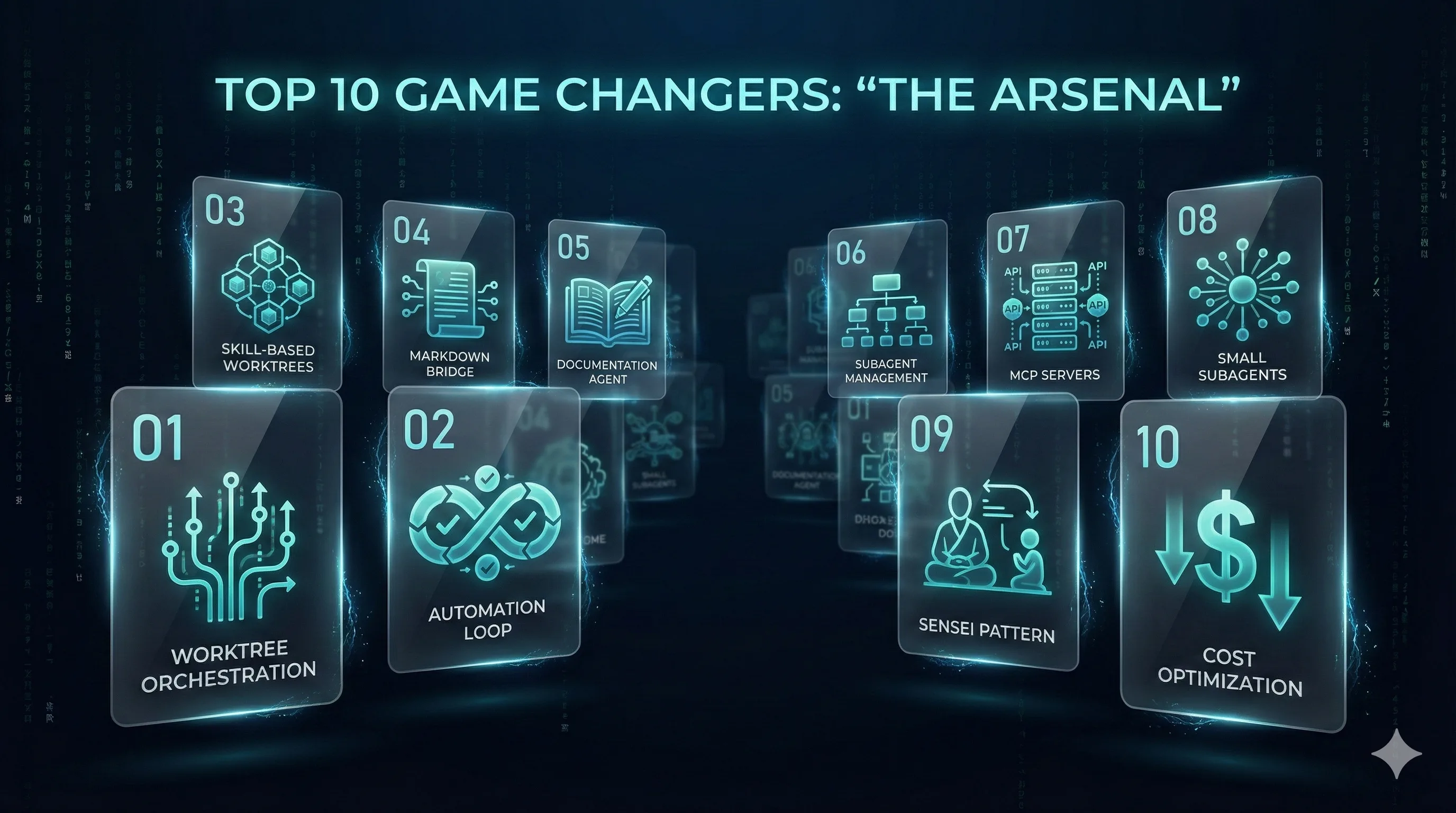
These techniques received the highest community validation and represent the most impactful workflow changes.
1. Git Worktree Orchestration [1]
Run an "Orchestrator Agent" on your main branch. Delegate subtasks to other agents running in different Git worktrees on separate branches. This enables massive parallelization.
# Create worktree for feature
git worktree add ../feature-auth feature/auth

# Run Claude in worktree with specific context
cd ../feature-auth && claude
Why it works: Each agent gets isolated context. No cross-contamination. Merge when ready.
2. The Full Automation Loop [2]
The ultimate Claude Code workflow:
- Plan with OpenSpec → create concrete specification
- New session → fresh context
- Claude Code → implement
- Codex MCP → review
- Claude → fix issues
- Repeat until aligned
This loop produces production-ready code with minimal human intervention.
3. Skill-Based Worktrees [3]
Define specific "skills" for agents in each worktree. One agent handles backend logic, another handles frontend styling, another handles testing. Each skill has its own CLAUDE.md with specialized instructions.
project/
├── main/           # Orchestrator
├── backend/        # Backend specialist agent
├── frontend/       # Frontend specialist agent
└── testing/        # QA specialist agent
4. Markdown Bridge Documents [4]
After every significant session, have Claude dump everything into a .md file with strict naming conventions. This file serves as:
- Human review artifact
- Context bridge for next session
- Knowledge preservation
# SESSION_2025-12-31_auth-implementation.md

## Completed
- [x] JWT token generation
- [x] Refresh token flow

## Next Steps
- [ ] Add rate limiting
- [ ] Implement logout

## Key Decisions
- Using RS256 for token signing (security requirement)
5. Automated Documentation Agent [5]
Create an agent that writes customer help documentation from feature branches (fed with PRD context). Achieves 95% accuracy on first pass.
Implementation: Set up a dedicated documentation worktree that monitors merged PRs and generates docs automatically.
6. Manual Subagent Management [6]
When you sense context limits approaching, explicitly tell Claude:
"For each task, delegate to a subagent. You are the manager—coordinate, don't execute."
This forces hierarchical execution and preserves main session context.
7. Context7 & GitTrees MCP Servers [7]
For up-to-date library documentation (bypassing knowledge cutoff), connect:
- Context7 MCP → Real-time documentation
- GitTrees MCP → Repository exploration
{
  "mcpServers": {
    "context7": {
      "command": "npx",
      "args": ["-y", "@context7/mcp-server"]
    }
  }
}
8. Small Subagents for Everything [8]
Use subagents even for simple tasks. This extends main session context lifetime dramatically. The "one small change at a time" discipline becomes natural.
Rule: If a task takes more than 3 tool calls, spawn a subagent.
9. The Sensei Pattern [9]
Keep main context clean by using subagents liberally. Your main session is the "sensei"—it teaches and coordinates, but doesn't do the work itself.
Reference: github.com/803/sensei
10. Cost Optimization Through Model Switching [10]
Three-phase approach:
- Claude CLI → Research and create
FEATURE_plan.md - Cheaper model (e.g., GPT-4 Mini, GLM) → Implement the plan
- Claude → Polish and finalize
This reduces token costs by 60-70% while maintaining quality.
Context Management Techniques (11-20)
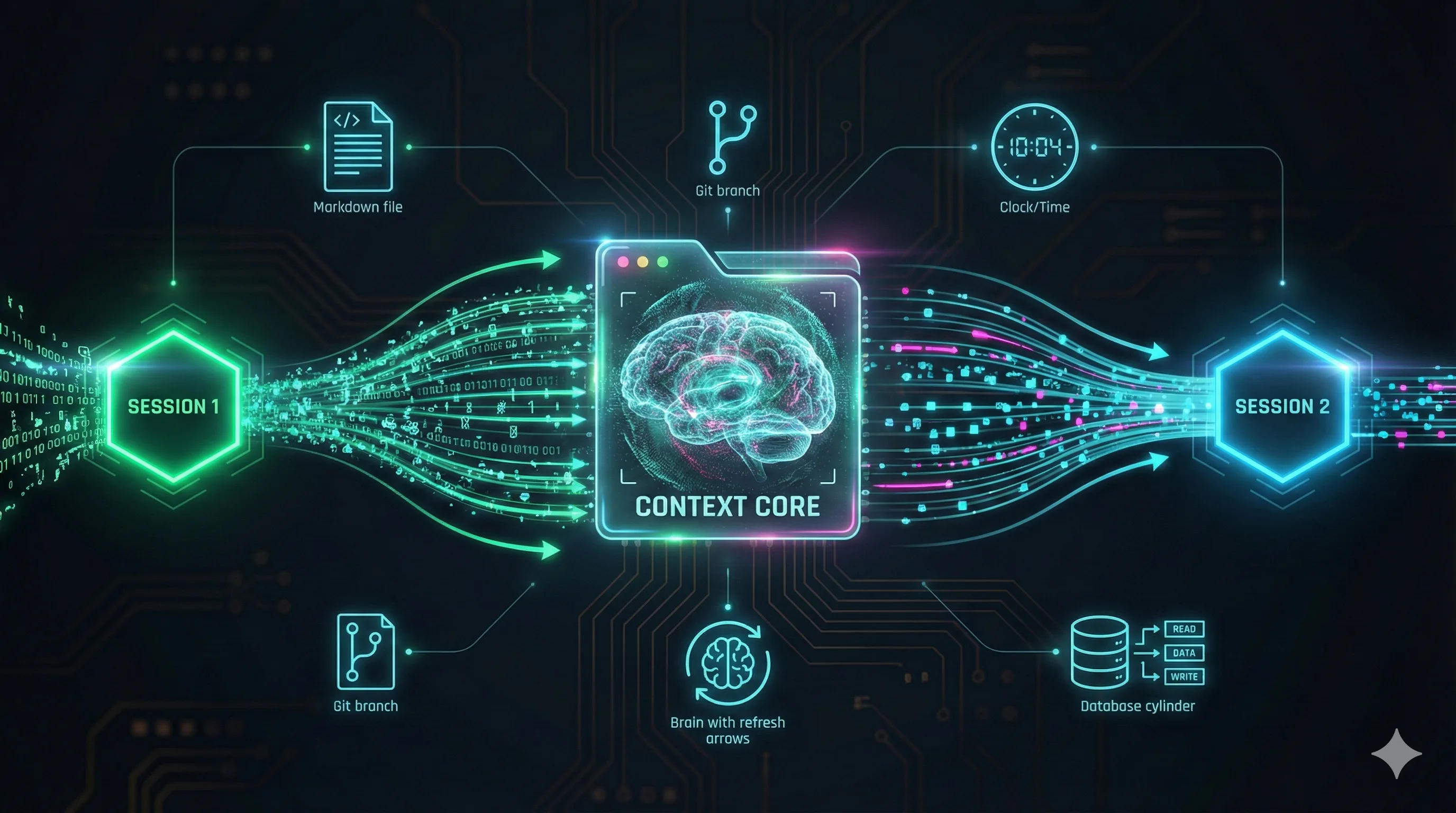
Context is the lifeblood of effective AI-assisted development.
11. Refactor Cycle Pattern [11]
For refactoring tasks:
- Give Claude an example
.mdfile + target file - Complete the refactor
- Fork/rewind to original prompt
- Provide different target file
- Repeat with fresh context each time
12. Cross-Platform Planning [12]
Use Claude.ai Projects for planning → Ask for Claude Code prompt → CC creates implementation plan → Send plan back to Claude Chat for review → Implement. Best of both worlds.
13. Date Check Discipline [13]
Add to your CLAUDE.md:
### SESSION STARTUP (MANDATORY)
1. CHECK DATE: Always verify today's date
2. LOAD BRIDGE: Read corecontext.md
Prevents temporal confusion in long-running projects.
14. Pre-tagging Files [14]
Tag relevant files before starting work. Use voice dictation to quickly mark files as "relevant to current task." Reduces discovery costs significantly.
15. The Follow-Up Command [15]
Create a /follow-up command that triggers when context reaches 70%:
- Summarize completed work
- Prepare self-contained prompt for next session
- List key files modified
<!-- .claude/commands/follow-up.md -->
Analyze this session and create a handoff document with:
1. Summary of changes (bullet points)
2. Files modified (with line counts)
3. Next steps as actionable prompts
4. Any unresolved issues
16. Compact for Clarity [16]
/compact isn't just for cleanup—it's mandatory in long sessions to prevent "hallucination fog." Schedule compact at natural breakpoints.
17. SQLite as Project Context [17]
Use SQLite database as project context storage. Tables for decisions, file changes, and session history. Claude can query it for historical context.
18. Clean Start Philosophy [18]
Write plans continuously. When a phase completes, clear the session. Fresh start = fresh context = better output.
19. Continuous Claude [19]
For context-preserving setups, check out github.com/parcadei/Continuous-Claude. Designed specifically for maintaining context across sessions.
20. Team Memory Through Git [20]
Dump all context to a .md file, commit to git. Team members can pick up where you left off. Version-controlled AI context.
Workflow Optimization (21-30)
21. Three-Step Prompt Pattern [21]
- Write prompt
- Convert to MD with Sonnet
- Execute with Opus
Higher quality output through prompt refinement.
22. Junior Dev Simulation [22]
Complete a task, copy the logic, run /clear. Start new session with: "A junior dev wrote this. Review and improve."
Forces Claude into critical evaluation mode.
23. Custom System Prompts [23]
Claude Code isn't just for coding. With custom system prompts in CLAUDE.md, transform it into any specialized agent: DevOps, security auditor, documentation writer.
24. Rewind Power [24]
Use /rewind generously. Breaking out of linear conversation flow helps manage context effectively.
25. Manual Iteration on Plans [25]
Before implementing, manually iterate on the .md plan file. This builds team memory and catches issues early.
26. Plugin Workflows [26]
Use plugins to create static and dynamic subagent workflows without framework dependencies. Keeps things simple and maintainable.
27. Skill-Focused Loading [27]
Create commands like /backend, /frontend that load only relevant files into context. Surgical precision.
<!-- .claude/commands/backend.md -->
Focus on backend files only:
- server/
- api/
- database/
Ignore frontend, tests, and documentation.
28. Sanitizer Hooks [28]
Use hooks to compress and sanitize input data before it reaches Claude. Context savings add up.
29. Research & Plan Commands [29]
Two-command workflow:
/research_codebase→research.md/create_plan→plan.md
Separation of concerns at command level.
30. Mandate Files [30]
Create comprehensive "Mandate" files that persist across multiple sessions. Your project's constitution.
Subagent Strategies (31-40)
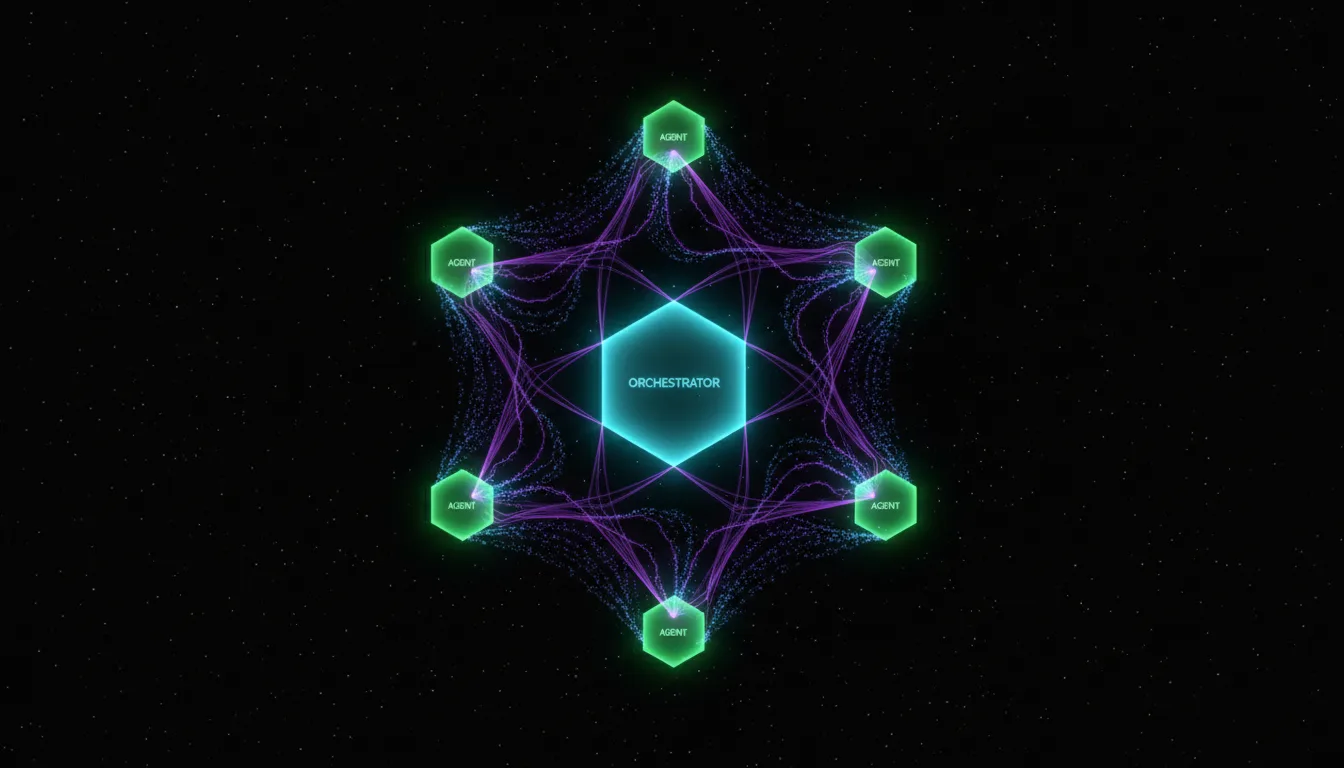
31. Browser Agent Integration [31]
Claude in Chrome extension: slower than alternatives, but more accurate for browser-based tasks.
32. Evolutionary Agents [32]
AlphaEvolve-style agents that continuously improve themselves and spawn subagents. Compute-intensive but fascinating for experimentation.
33. Load Distribution [33]
Use aimaestro23 to coordinate agents and distribute load across multiple accounts/machines.
34. Context-Aware Refactoring [34]
Give Claude a messy function + your style constraints. Better than autocomplete for significant refactors.
35. Competitive Agents [35]
Have two agents solve the same problem, then merge the best solutions. Competition drives quality.
36. Thinking Out Loud [36]
Force agents to write out their reasoning before coding. Catches logic errors early.
37. MAID Runner Pattern [37]
Custom "Maid Runner" subagents with specialized /spike commands. Clean up and organize as you go.
38. Manual Planning Mode [38]
Explicit two-phase: "Create detailed MD plan" → Review → "Now implement iteratively, wait for my test after each step."
39. Playwright MCP for UI [39]
Claude Code + Playwright MCP = automated browser control, UI testing, and "magic" workflows.
40. NotebookLM Integration [40]
For large API documentation, connect Claude to NotebookLM via MCP. Specialized knowledge retrieval.
Documentation & Tooling (41-50)
41. Notification System [41]
Create /ping command for Telegram notifications after every task. Add to CLAUDE.md: "Summarize and ping after each task."
42. Obsidian Export [42]
Export raw session logs to Obsidian. Maintain both summary and detailed logs for future reference.
43. File Discipline [43]
Treat memory files like code files. Naming conventions and organization are critical for maintainability.
44. Obsidian Trail [44]
Every project should leave an Obsidian trail: decisions, implementations, pivots, and insights. Searchable project history.
45. Architecture Skills [45]
Write a Skill that explains your codebase patterns and architecture. New sessions understand context immediately.
46. The Golden Rule [46]
Never do planning and implementation in the same session.
Plan → New Session → Implement → Bridge. This rule alone prevents 80% of quality issues.
47. Super-Charge Your Tools [47]
Build your own toolkit:
- Memory layer
- Skill spawner (automatic skill generator)
- Vulnerability scanner
Custom tools for custom workflows.
48. Live Documentation [48]
Maintain corecontext.md for new sessions, plus individual feature roadmaps for cross-session reference.
49. Custom Skills for Patterns [49]
Write Skills that encode your team's patterns. Architecture decisions, naming conventions, testing strategies—all embedded in reusable Skills.
50. iMessage Context (Mac Only) [50]
Read ~/Library/Messages/chat.db for context. Warning: Privacy implications—evaluate carefully before implementing.
Key Takeaways
After analyzing 200+ tweets and validating through production experience, here's what matters:
1. Orchestration is Everything
The best users treat Claude as an orchestra conductor, not a worker. Git worktrees + subagents = massive parallelization.
2. Context is Sacred
Markdown bridges, /compact, /rewind, and custom bridge documents are mandatory for serious work.
3. Separation is Power
Planning and implementation in the same session = problems. "Plan → New Session → Implement" is the reliable pattern.
4. Extend Your Reach
MCP servers (Playwright, GitTrees, Context7, NotebookLM) transform Claude from a closed box into a real engineering partner.
What's Next?
In 2026, I'll be publishing weekly deep-dives into specific techniques from this list. Subscribe to get notified:
- neurabytelabs.com
- Claude Code Daily Newsletter ← Subscribe below!
- GitHub: Claude Code Daily
References
This guide would not exist without the generous knowledge-sharing from the Claude Code community. Original thread by Alex Albert (@alexalbert__).
[1] Pushkar Jain · [2] Ibrahim Hammad · [3] Sean T · [4] Saad · [5] Graeme · [6] Marcin Dudek · [7] Multiple Contributors · [8] James Vanderhaak · [9] Alizain Feerasta · [10] antfx · [11] Rob Richardson · [12] AJ Avanti · [13] Matthew Bergvinson · [14] Hubab · [15] Felipe Matos · [16] XenZee · [17] Buddy Hadry · [18] Magnus · [19] dei · [20] Dipen Ved · [21] Elyass Tarik · [22] Vince · [23] Mng · [24] Alizain Feerasta · [25] Aaron Yang · [26] Jay W · [27] Hakan Deryal · [28] Dmytro Palaniichuk · [29] Daniel · [30] Tobias Bentzer · [31] Alex Colon · [32] Aaron Erickson · [33] jkpelaez · [34] NowshadAhmad · [35] EddieBe · [36] Yashas · [37] Mamerto Fabian · [38] anotheryou · [39] Matheus Oliveira · [40] Switchfin.ai · [41] Jairo · [42] DiamondEyesFox · [43] John Hashem · [44] Tyler Nishida · [45] Skill Creator · [46] pjay · [47] Meta Alchemist · [48] Duncan Soar · [49] Community · [50] Gordon Wintrob
"The best way to learn is to teach, and the best way to build is to share."
Published: December 31, 2025 Last Updated: December 31, 2025 Source: Alex Albert's Thread
A comprehensive guide to Claude Code best practices, curated from Alex Albert viral thread